
Description
IKAROS Pro: Supercharge Your AI Commerce with Vision & Analytics
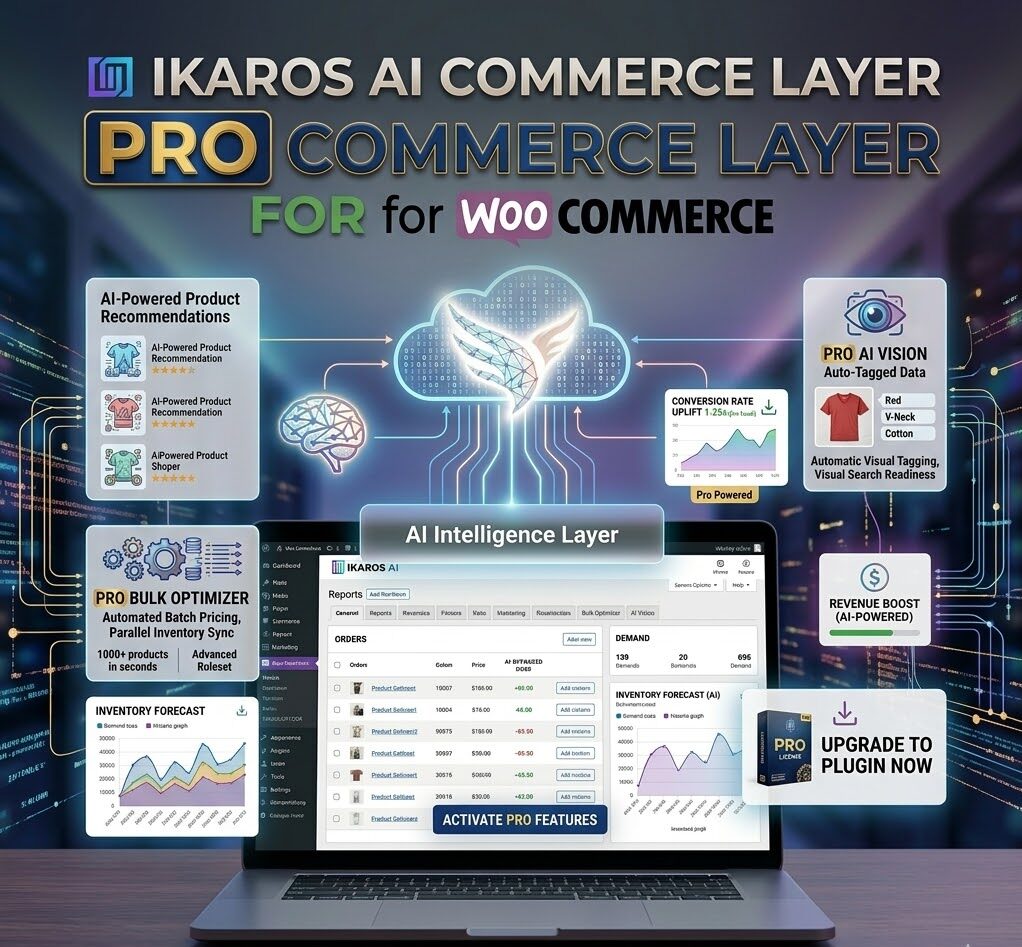
Take your AI commerce infrastructure to the next level. IKAROS Pro extends the free IKAROS plugin with premium features designed for high-volume stores, advanced analytics needs, and AI-native product optimization at scale.
What’s Included in IKAROS Pro?
IKAROS Pro is a commercial add-on that requires the free IKAROS AI Manifest plugin as a foundation. Once activated, it unlocks three powerful premium feature sets:
1. Vision AI Product Optimization
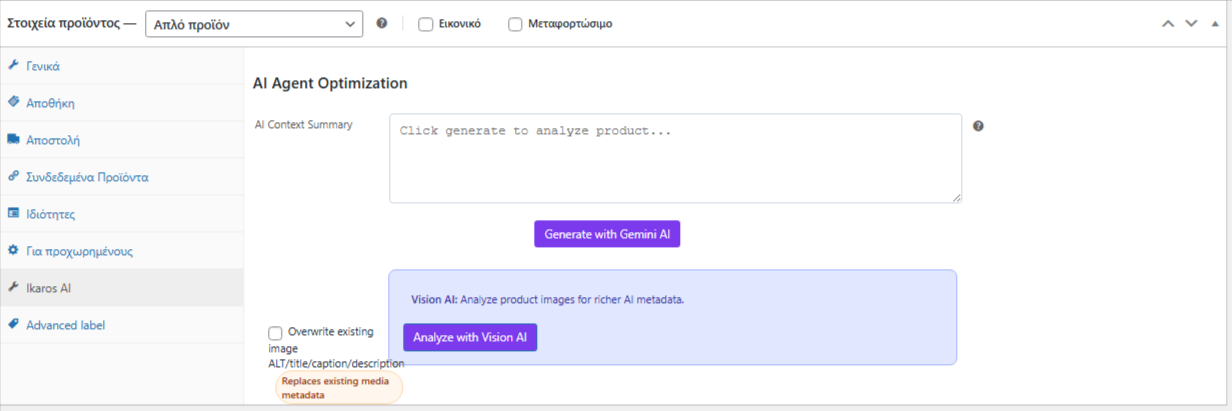
Gemini Vision Integration
Use Google Gemini’s Vision AI to analyze product images and generate intelligent, AI-friendly product descriptions automatically. Instead of manually writing summaries, let Vision AI “see” your products and create descriptions optimized for both human readers and AI systems.
Bulk Image Analysis
Process hundreds of products at once, leveraging product images to generate context-aware descriptions. Vision AI examines:
- Product colors, materials, and textures
- Product dimensions and form factors
- Packaging and branding elements
- Use cases visible from the image
Three Optimization Modes Available:
- Text AI Mode: Gemini API text generation (included in free version)
- Vision AI Mode: Image-based description generation (Pro feature)
- Media ALT Meta Optimization: Auto-generate and bulk-update ALT text for featured and gallery images (Pro feature)
2. Bulk Optimization Engine
Process Your Catalog at Scale
Run batch optimization across your entire product catalog in one operation, not one product at a time.
Three-Mode Batch Processing:
- Gemini Text AI: Text-only AI generation for all selected products
- Vision AI: Image-based analysis with automated description creation
- Media ALT Optimization: Update ALT tags across featured and gallery images for SEO and accessibility
Progress Tracking & Reports
- Real-time processing status and logs
- Detailed outcome reports for each batch run
- Visibility into which products were optimized and which had errors
- Export results for external review
Selective Targeting
- Choose specific product categories for bulk optimization
- Filter by product status (published, draft, etc.)
- Batch process by product tag or custom criteria
- Schedule for off-peak hours to avoid performance impact
3. Advanced Traffic Analytics & AI Bot Intelligence
Real-Time Performance Dashboard
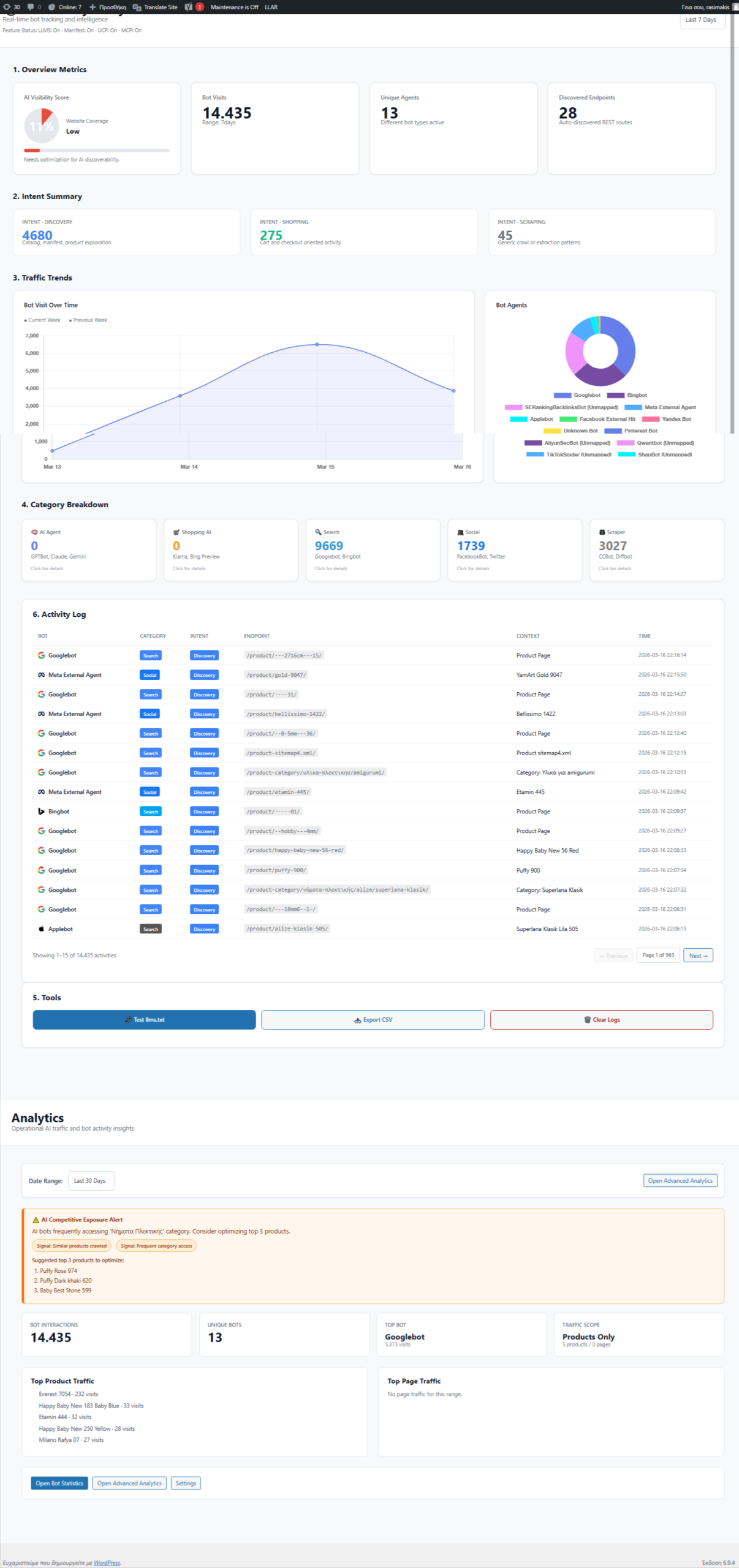
Monitor every interaction with your AI commerce infrastructure, broken down by humans vs. AI bots.
Comprehensive Metrics:
Traffic Tracking
- Impressions: How many times your manifests and products are viewed
- Clicks: Which products AI agents and humans are clicking on
- Conversions: Add-to-cart events and purchases attributed to AI traffic
- Sessions: Unique visitor sessions tracked with UUID identifiers
AI Bot Analytics
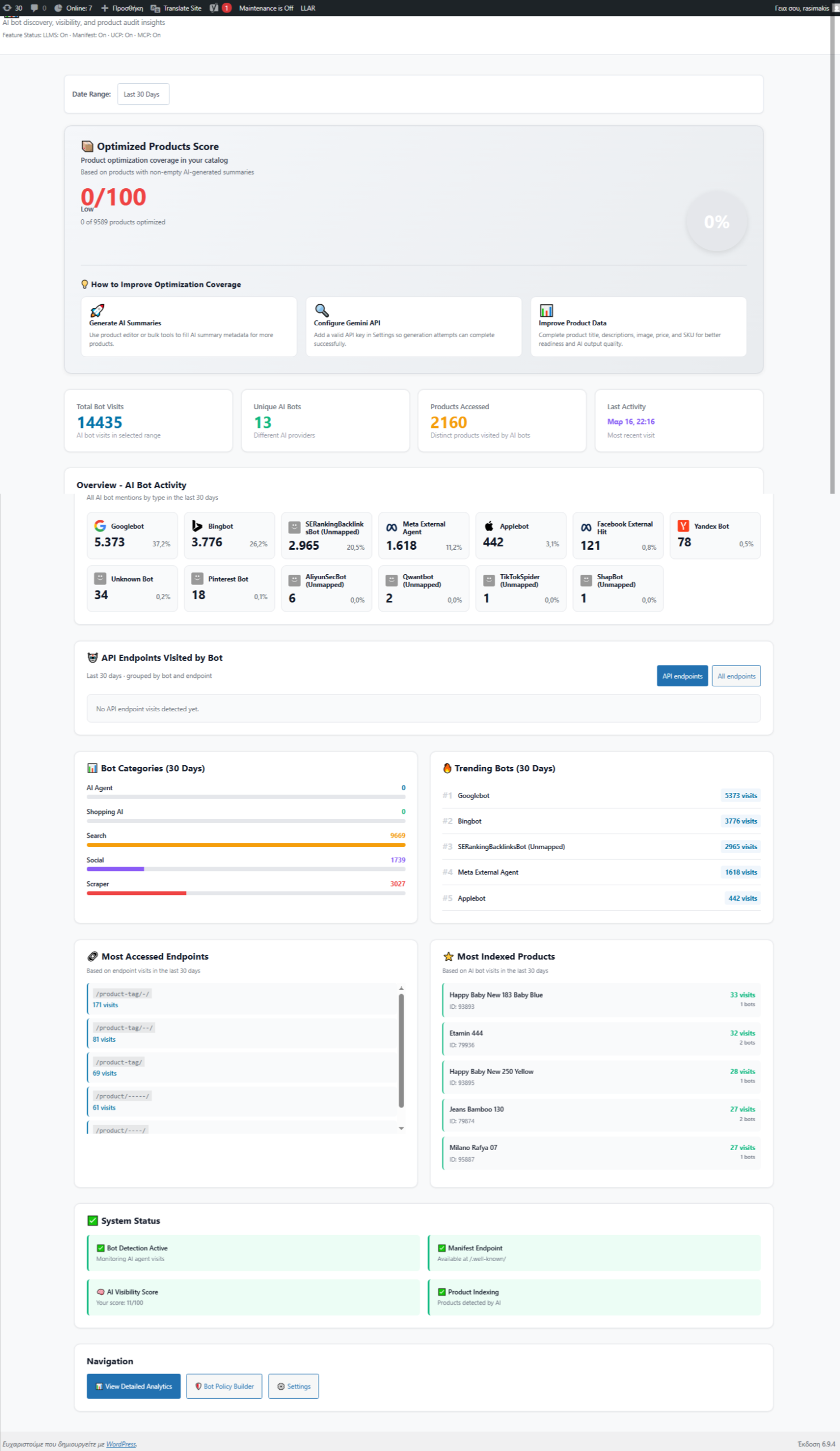
- Bot Detection: Automatically identify 20+ AI bot types including:
- Code models (GPT-4, Claude, Gemini, etc.)
- Shopping agents (Perplexity Shopping, specialized retail bots)
- Search crawlers (Google Bot, Bing Bot, etc.)
- Custom agentic platforms
- Per-Bot Metrics: Track traffic volume, bot behavior, and engagement for each bot type
- Bot Activity Details: See which endpoints and products each bot type visits most
Product-Level Insights
- Which products attract the most bot traffic?
- Which AI agents are most interested in specific products?
- Which products convert best from AI agent recommendations?
- Track product performance across different bot types
Traffic Breakdown Analysis
- Bot vs. human traffic visualization (pie charts, bar graphs)
- Time-series trend analysis (traffic over days, weeks, months)
- Peak traffic times and seasonal patterns
- Device and bot type segmentation
Click-Through Rate (CTR) Analysis
- Calculated CTR for overall store performance
- Per-product CTR for identifying top performers
- Bot CTR vs. human CTR comparison
- Identify which products convert best from AI agent traffic
Advanced Filtering & Queries
- Filter traffic by date range, time period (daily/hourly/weekly/monthly)
- Segment by product, bot type, traffic source
- View trends over customizable time windows
- Export data for external analysis and reporting
Privacy & Compliance Options
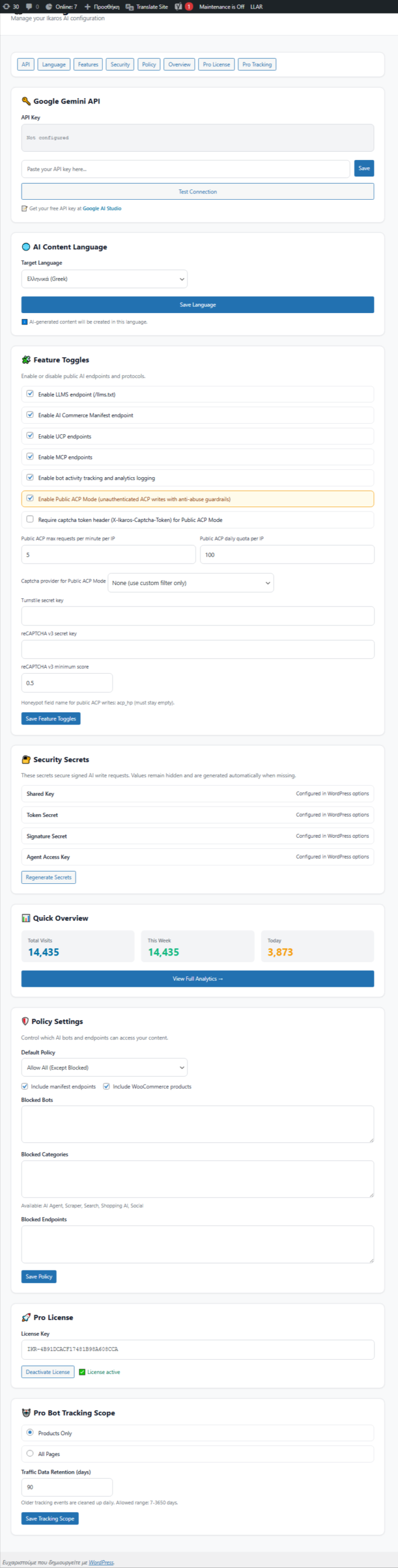
- IP anonymization option for GDPR compliance
- Configurable data retention periods
- Consent management integration
- Anonymous session tracking
Performance Monitoring
Dashboard Visualizations
- Real-time traffic graphs and charts
- Top products by bot traffic
- Bot distribution breakdown
- Traffic trends and patterns
- Interactive data tables with sorting/filtering
- Mobile-responsive design for on-the-go monitoring
Database-Backed Analytics
- Dedicated
wp_ikaros_traffic_trackingtable for reliable data storage - Optimized indexing for fast queries on large datasets
- Automatic data aggregation for trend calculation
- JSON-formatted event data for extensibility
Developer Features
Pro API Access
Access comprehensive methods for custom integrations:
Test Data Seeding
Developers can seed realistic test data for dashboard preview and development testing.
Why IKAROS Pro?
For High-Volume Stores
- Scale product optimization from hours to minutes with bulk processing
- Leverage Vision AI to analyze hundreds of product images automatically
- Monitor AI agent traffic patterns across your entire catalog
For Data-Driven Merchants
- Understand which products are winning with AI agents
- Optimize based on real traffic data, not assumptions
- Make informed decisions about inventory and merchandising
For Enterprise Teams
- Advanced analytics for stakeholder reporting
- Detailed bot classification for partnership opportunities
- API access for custom integrations and dashboards
- Privacy controls for compliance (GDPR, CCPA, etc.)
For Growth-Focused Businesses
- Position your store to capture AI-driven sales from day one
- Track attribution from AI agent recommendations
- Optimize product descriptions specifically for AI comprehension
System Requirements
- WordPress: 5.0 or higher
- PHP: 7.4 or higher
- WooCommerce: 4.0 or higher
- Free Plugin: Ikaros AI Manifest (required)
- Optional: Google Gemini API key (for Vision/Text AI features)
How It Works
- Install Free Base Plugin → Get core IKAROS features
- Activate Pro License → Unlock premium tools
- Configure Vision AI → Add Gemini API key (optional)
- Bulk Optimize → Process your catalog in one batch run
- Monitor Analytics → Watch real-time traffic and bot data
- Make Decisions → Optimize based on actual AI agent behavior
What You Get
✅ Vision AI product description generation from images
✅ Bulk optimization for catalog-wide updates
✅ Real-time traffic analytics dashboard
✅ AI bot detection and classification (20+ bot types)
✅ Click-through rate and conversion tracking
✅ Advanced filtering and trend analysis
✅ Privacy-compliant data handling (GDPR, CCPA)
✅ API access for custom integrations
✅ Commercial license with priority support
PRO + FREE Comparison
| Feature | Free IKAROS | IKAROS Pro |
|---|---|---|
| AI Commerce Manifest | ✅ | ✅ |
| Text AI Optimization | ✅ | ✅ |
| Bot Analytics (Basic) | ✅ | ✅ |
| Vision AI Descriptions | ❌ | ✅ |
| Bulk Optimization | ❌ | ✅ |
| Media ALT Optimization | ❌ | ✅ |
| Advanced Analytics Dashboard | ❌ | ✅ |
| Bot Activity by Type | ❌ | ✅ |
| CTR & Conversion Analysis | ❌ | ✅ |
| Traffic Trending & Historical | ❌ | ✅ |
| API Access | ❌ | ✅ |
| Priority Support | ❌ | ✅ |
Get Started Today
IKAROS Pro is for stores ready to scale AI commerce operations. Install the free IKAROS plugin first, then add Pro to unlock Vision AI, bulk optimization, and the analytics insights you need to dominate AI-driven traffic.
Ready to optimize at scale? Get your IKAROS Pro license today.


admin –
Awesome