
Beschrijving
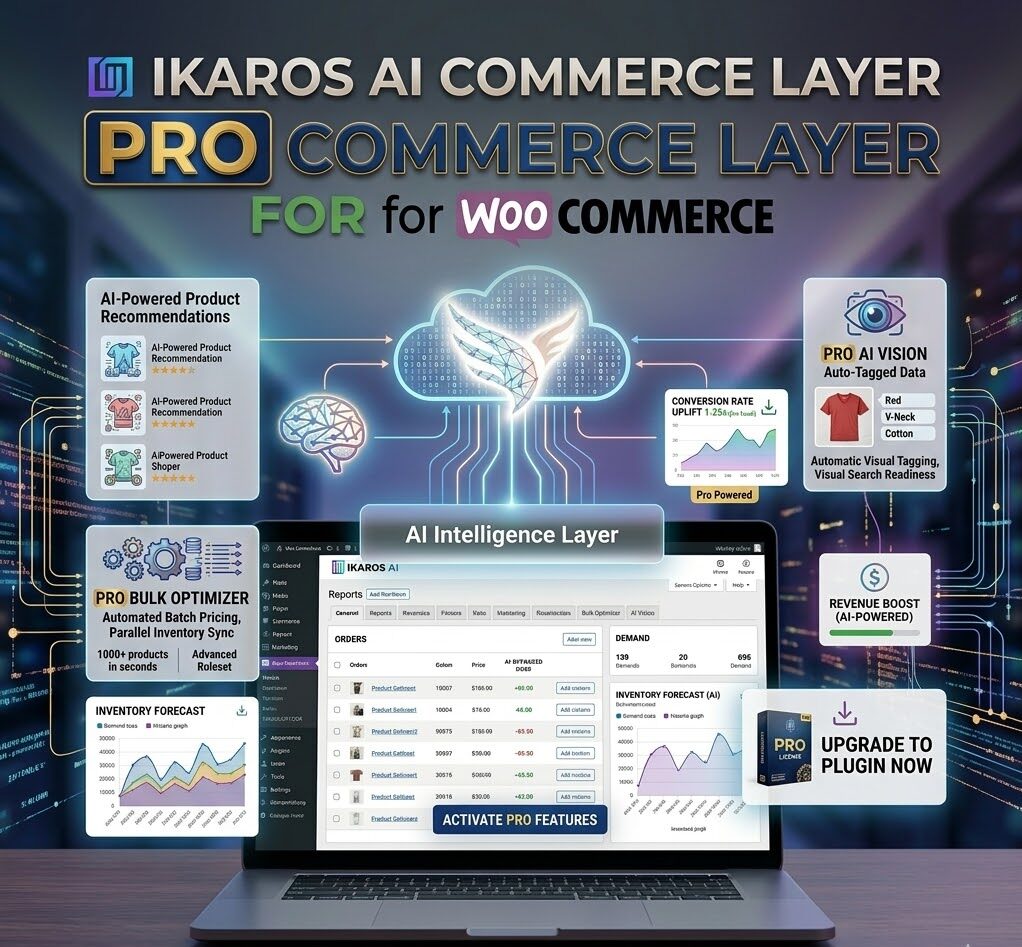
IKAROS Pro: Geef uw AI-commerce een boost met visie en analyses.
Breng uw AI-commerce-infrastructuur naar een hoger niveau. IKAROS Pro breidt de gratis IKAROS-plugin uit met premiumfuncties die zijn ontworpen voor webwinkels met een hoog volume, geavanceerde analyses en AI-gebaseerde productoptimalisatie op grote schaal.
Wat is inbegrepen bij IKAROS Pro?
IKAROS Pro is een commerciële add-on die de gratis IKAROS AI Manifest-plugin als basis vereist. Na activering ontgrendelt het drie krachtige premiumfunctiesets:
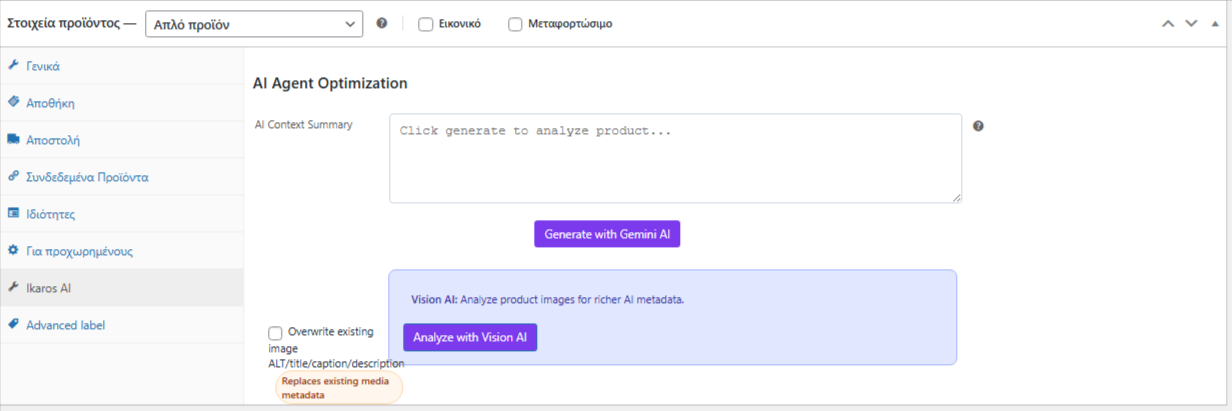
1. Vision AI Productoptimalisatie
Gemini Vision-integratie
Gebruik Google Gemini's Vision AI om productafbeeldingen te analyseren en automatisch intelligente, AI-vriendelijke productbeschrijvingen te genereren. In plaats van handmatig samenvattingen te schrijven, laat Vision AI uw producten 'zien' en beschrijvingen maken die geoptimaliseerd zijn voor zowel menselijke lezers als AI-systemen.
Massa-beeldanalyse
Verwerk honderden producten tegelijk en gebruik productafbeeldingen om contextbewuste beschrijvingen te genereren. Vision AI onderzoekt:
- Kleuren, materialen en texturen van het product
- Productafmetingen en vormfactoren
- Verpakkings- en merkelementen
- Gebruiksscenario's zichtbaar op de afbeelding
Er zijn drie optimalisatiemodi beschikbaar:
- Tekst AI-modusTekstgeneratie via de Gemini API (inbegrepen in de gratis versie)
- Visie AI-modus: Genereren van beschrijvingen op basis van afbeeldingen (Pro-functie)
- Media ALT Meta-optimalisatieAutomatisch ALT-tekst genereren en批量 bijwerken voor uitgelichte afbeeldingen en galerijafbeeldingen (Pro-functie)
2. Bulkoptimalisatie-engine
Verwerk uw catalogus op grote schaal.
Voer batchoptimalisatie uit voor uw gehele productcatalogus in één bewerking, in plaats van product voor product.
Batchverwerking in drie modi:
- Gemini Text AI: Tekstgebaseerde AI-generatie voor alle geselecteerde producten
- Visie AIBeeldgebaseerde analyse met geautomatiseerde beschrijvingcreatie
- Media ALT-optimalisatie: Update de ALT-tags van uitgelichte afbeeldingen en galerijafbeeldingen voor SEO en toegankelijkheid.
Voortgangsregistratie en rapportage
- Realtime verwerkingsstatus en logboeken
- Gedetailleerde resultatenrapporten voor elke batchrun
- Inzicht in welke producten geoptimaliseerd waren en welke fouten bevatten.
- Exporteer de resultaten voor externe beoordeling
Selectieve targeting
- Selecteer specifieke productcategorieën voor bulkoptimalisatie.
- Filteren op productstatus (gepubliceerd, concept, enz.)
- Batchverwerking op basis van productlabel of aangepaste criteria
- Plan je werk buiten de spitsuren om prestatieverlies te voorkomen.
3. Geavanceerde verkeersanalyse en AI-botintelligentie
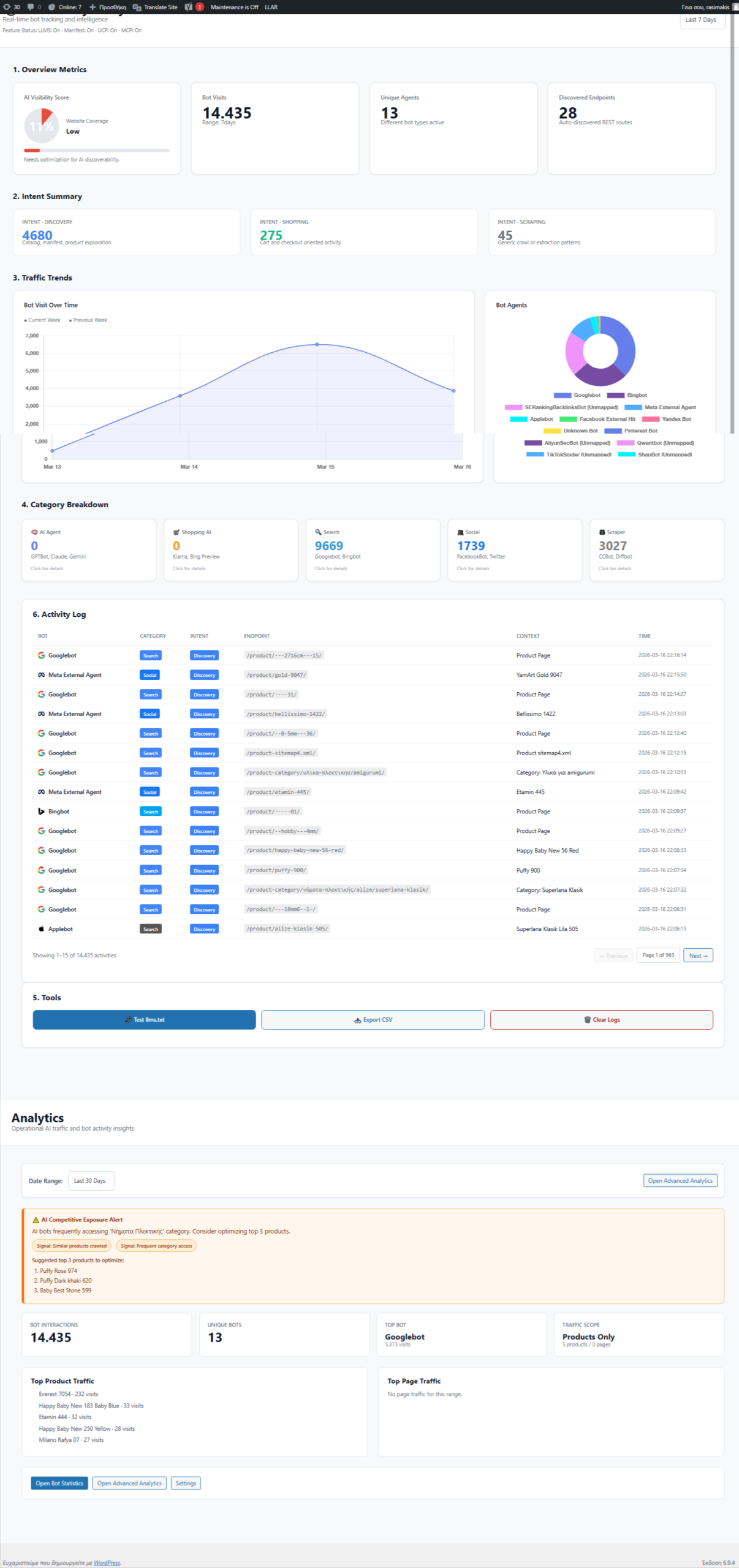
Realtime prestatiedashboard
Houd elke interactie met uw AI-commerce-infrastructuur in de gaten, uitgesplitst naar interactie met mensen versus AI-bots.
Uitgebreide statistieken:
Verkeersregistratie
- Impressies: Hoe vaak uw manifesten en producten worden bekeken
- Klikken: Op welke producten klikken AI-agenten en mensen?
- Conversies: Toevoegingen aan winkelwagen en aankopen toegeschreven aan AI-verkeer
- Sessies: Unieke bezoekerssessies bijgehouden met UUID-identificaties.
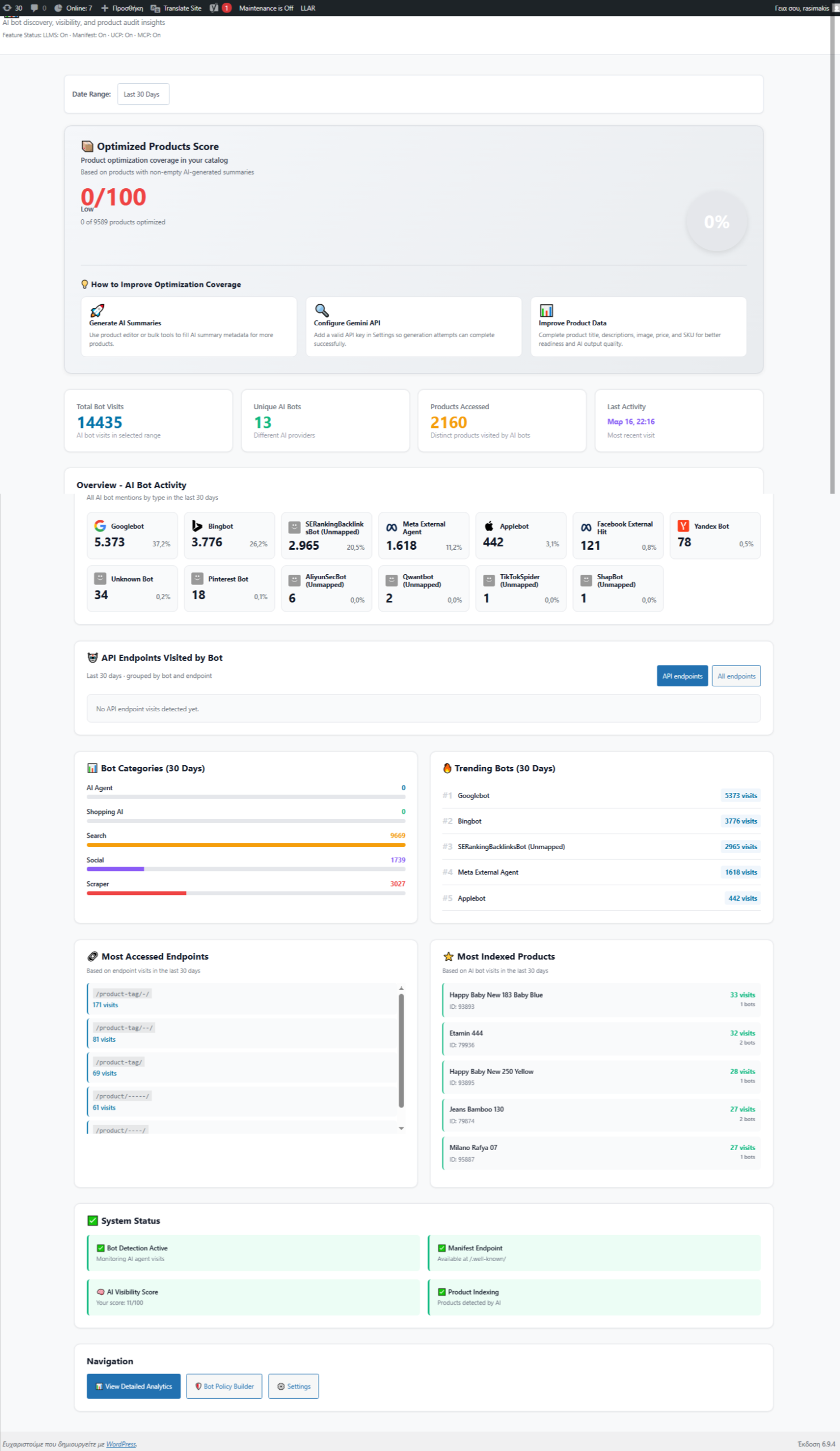
AI-botanalyse
- Botdetectie: Automatisch meer dan 20 soorten AI-bots identificeren, waaronder:
- Codemodellen (GPT-4, Claude, Gemini, enz.)
- Shoppingagents (Perplexity Shopping, gespecialiseerde retailbots)
- Zoekrobots (Google Bot, Bing Bot, enz.)
- Aangepaste agentplatformen
- Statistieken per bot: Volg het verkeersvolume, het gedrag van de bots en de betrokkenheid voor elk type bot.
- Details van de botactiviteitBekijk welke eindpunten en producten elk bottype het meest bezoekt.
Inzichten op productniveau
- Welke producten trekken de meeste bots aan?
- Welke AI-agenten zijn het meest geïnteresseerd in specifieke producten?
- Welke producten converteren het best dankzij aanbevelingen van AI-agenten?
- Volg de productprestaties over verschillende bottypen.
Verkeersopstoppinganalyse
- Visualisatie van bot- versus menselijk verkeer (cirkeldiagrammen, staafdiagrammen)
- Trendanalyse op basis van tijdreeksen (verkeer over dagen, weken, maanden)
- Drukteperiodes en seizoenspatronen
- Segmentatie op basis van apparaat- en bottype
Click-Through Rate (CTR)-analyse
- Berekende CTR voor de algehele winkelprestaties
- CTR per product voor het identificeren van best presterende producten
- Vergelijking van de CTR van een bot versus de CTR van een mens
- Identificeer welke producten het beste converteren via AI-agentverkeer.
Geavanceerde filters en zoekopdrachten
- Filter verkeer op datumbereik, tijdsperiode (dagelijks/uurlijks/wekelijks/maandelijks)
- Segmenteren op product, bottype en verkeersbron
- Bekijk trends over aanpasbare tijdsvensters.
- Exporteer gegevens voor externe analyse en rapportage.
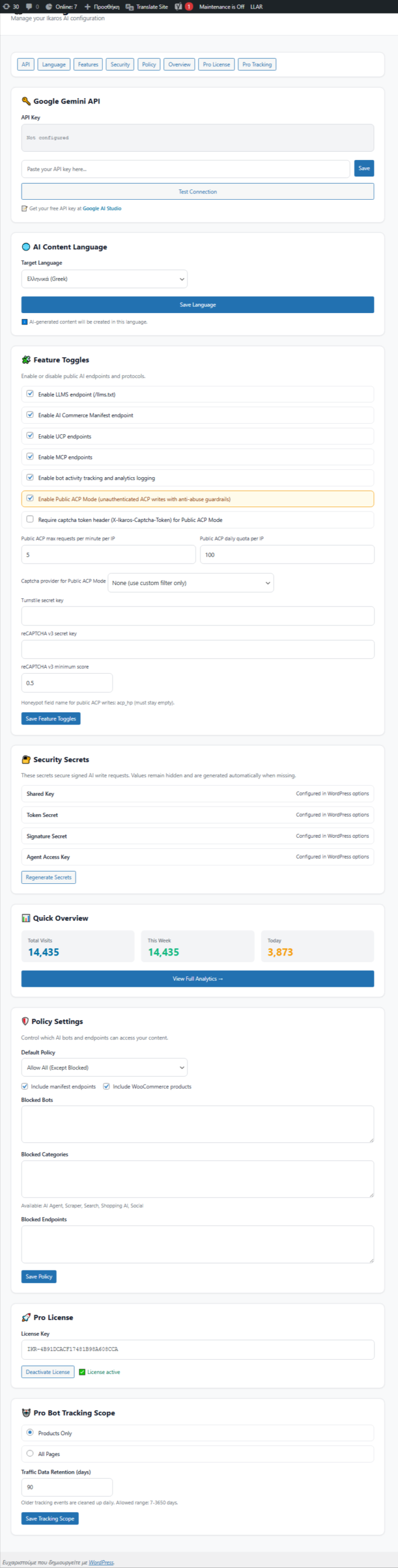
Privacy- en nalevingsopties
- IP-anonimiseringsoptie voor GDPR-naleving
- Instelbare bewaartermijnen voor gegevens
- Integratie van toestemmingsbeheer
- Anonieme sessie-tracking
Prestatiebewaking
Dashboardvisualisaties
- Realtime verkeersgrafieken en -diagrammen
- Populairste producten op basis van botverkeer
- Uitsplitsing van de botdistributie
- Verkeerstrends en -patronen
- Interactieve gegevenstabellen met sorteer-/filtermogelijkheden
- Mobielvriendelijk ontwerp voor monitoring onderweg
Databasegestuurde analyses
- Toegewijd
wp_ikaros_traffic_trackingtabel voor betrouwbare gegevensopslag - Geoptimaliseerde indexering voor snelle zoekopdrachten in grote datasets.
- Automatische gegevensaggregatie voor trendberekening
- JSON-geformatteerde gebeurtenisgegevens voor uitbreidbaarheid
Ontwikkelaarsfuncties
Pro API-toegang
Krijg toegang tot uitgebreide methoden voor maatwerkintegraties:
Testgegevens vullen
Ontwikkelaars kunnen realistische testgegevens gebruiken voor dashboardvoorbeelden en ontwikkelingstests.
Waarom IKAROS Pro?
Voor winkels met een hoge omzet
- Schaal productoptimalisatie op van uren naar minuten met bulkverwerking.
- Gebruik Vision AI om honderden productafbeeldingen automatisch te analyseren.
- Monitor de verkeerspatronen van AI-agenten in uw gehele catalogus.
Voor datagedreven ondernemers
- Begrijp welke producten succesvol zijn met AI-agenten.
- Optimaliseer op basis van echte verkeersgegevens, niet op basis van aannames.
- Neem weloverwogen beslissingen over voorraadbeheer en merchandising.
Voor bedrijfsteams
- Geavanceerde analyses voor rapportage aan belanghebbenden
- Gedetailleerde botclassificatie voor samenwerkingsmogelijkheden
- API-toegang voor aangepaste integraties en dashboards
- Privacyinstellingen voor naleving van regelgeving (AVG, CCPA, enz.)
Voor bedrijven die gericht zijn op groei.
- Zorg ervoor dat uw winkel vanaf dag één profiteert van door AI gegenereerde verkopen.
- Volg de toeschrijving van aanbevelingen van AI-agenten
- Optimaliseer productbeschrijvingen specifiek voor AI-begrip.
Systeemvereisten
- WordPress: 5.0 of hoger
- PHP: 7,4 of hoger
- WooCommerce: 4.0 of hoger
- Gratis plugin: Ikaros AI-manifest (vereist)
- Optioneel: Google Gemini API-sleutel (voor AI-functies voor beeld/tekst)
Hoe het werkt
- Installeer de Free Base-plugin → Ontdek de belangrijkste IKAROS-functies
- Activeer de Pro-licentie → Ontgrendel premium tools
- Configureer Vision AI → Voeg een Gemini API-sleutel toe (optioneel)
- Bulk optimaliseren → Verwerk uw catalogus in één batch.
- Monitor Analytics → Bekijk realtime verkeers- en botgegevens
- Beslissingen nemen → Optimaliseer op basis van het daadwerkelijke gedrag van de AI-agent
Wat je krijgt
✅ Generatie van productbeschrijvingen op basis van afbeeldingen met behulp van Vision AI
✅ Bulkoptimalisatie voor catalogusbrede updates
✅ Dashboard voor realtime verkeersanalyse
✅ AI-botdetectie en -classificatie (meer dan 20 bottypen)
✅ Tracking van klikfrequentie en conversies
✅ Geavanceerde filter- en trendanalyse
✅ Gegevensverwerking conform de privacywetgeving (AVG, CCPA)
✅ API-toegang voor aangepaste integraties
✅ Commerciële licentie met prioriteitsondersteuning
PRO + GRATIS vergelijking
| Functie | Gratis IKAROS | IKAROS Pro |
|---|---|---|
| Manifest voor AI-commerce | ✅ | ✅ |
| Tekst AI-optimalisatie | ✅ | ✅ |
| Botanalyse (basis) | ✅ | ✅ |
| Beschrijvingen van Vision AI | ❌ | ✅ |
| Bulkoptimalisatie | ❌ | ✅ |
| Media ALT-optimalisatie | ❌ | ✅ |
| Geavanceerd analyse-dashboard | ❌ | ✅ |
| Botactiviteit per type | ❌ | ✅ |
| CTR- en conversieanalyse | ❌ | ✅ |
| Verkeerstrends en historische gegevens | ❌ | ✅ |
| API-toegang | ❌ | ✅ |
| Prioriteitsondersteuning | ❌ | ✅ |
Begin vandaag nog
IKAROS Pro is voor winkels die klaar zijn om hun AI-commerceactiviteiten op te schalen. Installeer eerst de gratis IKAROS-plugin en voeg vervolgens Pro toe om Vision AI, bulkoptimalisatie en de analytische inzichten te ontgrendelen die u nodig hebt om AI-gestuurd verkeer te domineren.
Klaar om op grote schaal te optimaliseren? Schaf vandaag nog uw IKAROS Pro-licentie aan.


beheerder –
Geweldig